
Piano Keyboard
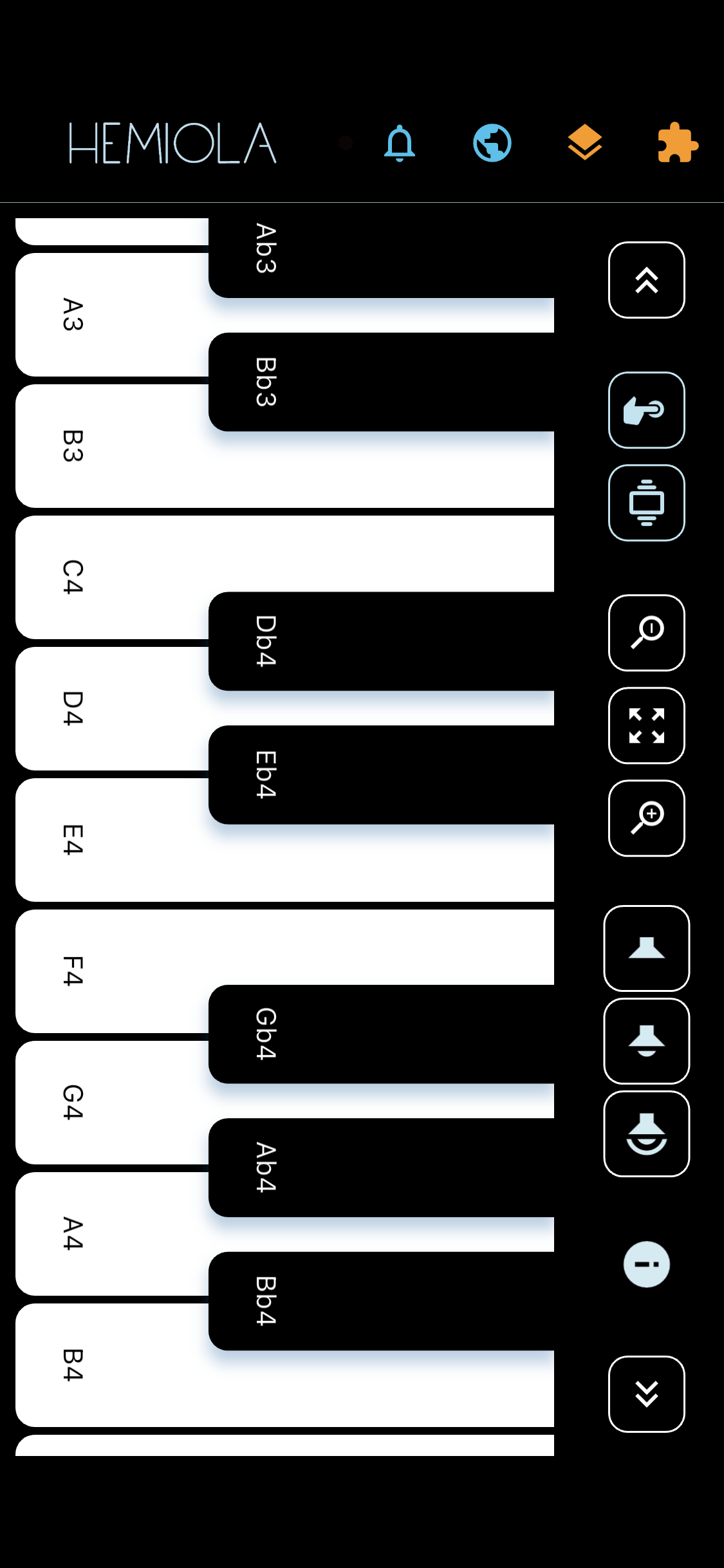
Hemiola's keyboard spans 7 octaves with pressure sensitivity (on supported devices) and multi-touch chord support.
The keyboard is displayed vertically on phones (portrait), and horizontally on landscape, tablet, and desktop layouts.
Navigation
- On phones, the bottom tab bar is hidden whenever the keyboard layout is too compact (including portrait and compact landscape) to maximise the playable area.
- When enough room is available (tablet, desktop, or wider phone layouts), the tab bar and the section name are shown below the keyboard.
Top-bar Controls
- Scroll arrows: tap to move one key, long-tap to move one full octave
- Pressure toggle: enable or disable touch pressure (velocity) sensitivity. Experimental — may not work on all devices.
- Haptic toggle: enable or disable vibration feedback on key press. Experimental — may not work on all devices.
- Master volume slider: quick access to overall volume
- Zoom in/out: adjust key width; long-tap the magnifier to snap to min or max zoom
- Center icon: reset zoom to default; long-tap to center the active octave
Note
Windows Tablets: for best playability, disable the system option "Three- and four-finger touch movement" in Windows settings to avoid gesture conflicts while playing. iPad: for uninterrupted multi-finger play, disable four/five-finger gestures in Settings.